Python sets are collections that are both unordered and unindexed. They are used to store multiple items in a single variable. Sets are particularly useful for performing mathematical operations like unions, intersections, differences, and symmetric differences as only unique elements are stored.
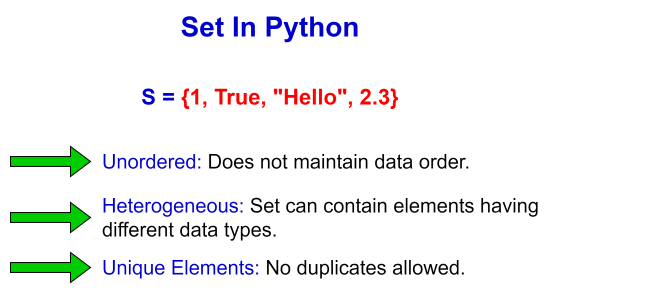 Image scaled to 80%
Defining a Set
Sets in Python can be defined by enclosing elements within curly braces {} or by using the built-in set() function. A set automatically removes any duplicate entries, keeping only unique items.
Example: Creating a set
Explanation:
fruit_setis defined with duplicates, which are removed when the set is created, resulting in the set{'banana', 'cherry', 'apple'}.color_setuses theset()function with a list that includes duplicates, which are also removed upon creation.
Updating a Set
Sets are mutable, meaning you can add items after the set has been created. The add() method adds a single element, and the update() method can add multiple elements (from another set, list, or any iterable).
Example: Adding elements to a set
Explanation:
num_setis initialized with{1, 2, 3}.num_set.add(4)adds the number4to the set.num_set.update([5, 6])adds both5and6to the set, demonstrating the use ofupdate()for adding multiple items.
Removing Items from a Set
Items can be removed from a set using methods like remove() or discard(). While remove() will raise an error if the item does not exist, discard() will not.
Example: Removing elements from a set
Explanation:
my_setstarts with{10, 20, 30, 40, 50}.my_set.remove(10)removes10from the set.my_set.discard(60)attempts to discard60. Since60is not in the set, nothing happens and no error is thrown.
Copying a Set
To make a copy of a set, you can use the copy() method. This creates a new set that is a copy of the original, allowing you to modify one set without affecting the other.
Example: Copying a set
Explanation:
original_setcontains{'a', 'b', 'c'}.copied_set = original_set.copy()creates a copy oforiginal_set, resulting in another set with the same elements.
Looping Through a Set
Although sets are unordered, you can still loop through the set items using a for loop. This can be useful for applying operations to each item.
Example: Iterating over a set.
Explanation:
char_setis initialized with the characters{'X', 'Y', 'Z'}.- The for loop iterates through each element in the set, printing them one by one. The output order may vary due to the unordered nature of sets.
This introduction to Python sets covers the basics of creating and manipulating sets, including adding and removing items, copying sets, and iterating over them. These operations form the foundation of set usage in Python, suitable for managing unique collections of items efficiently.